
Metadata and Tags#
file version: 28 Aug 2026
Metadata#
Metadata are automatically imported from netCDF files after being transferred into the Versity system. They are stored in a metadata database of ATLAS and remain available even when the respective files are no longer cached. Metadata can be accessed via the WebUI (click on the filename; currently unavailable) and via the atlas CLI.
ATLAS WebUI#
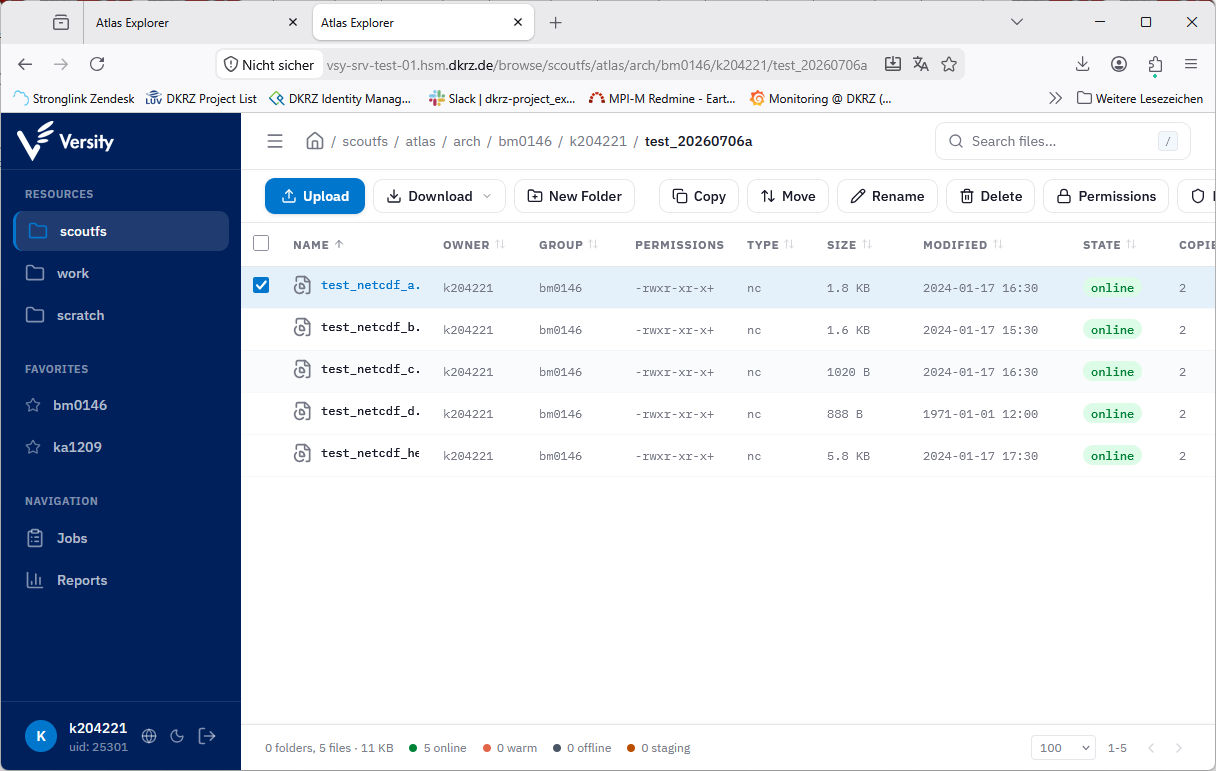
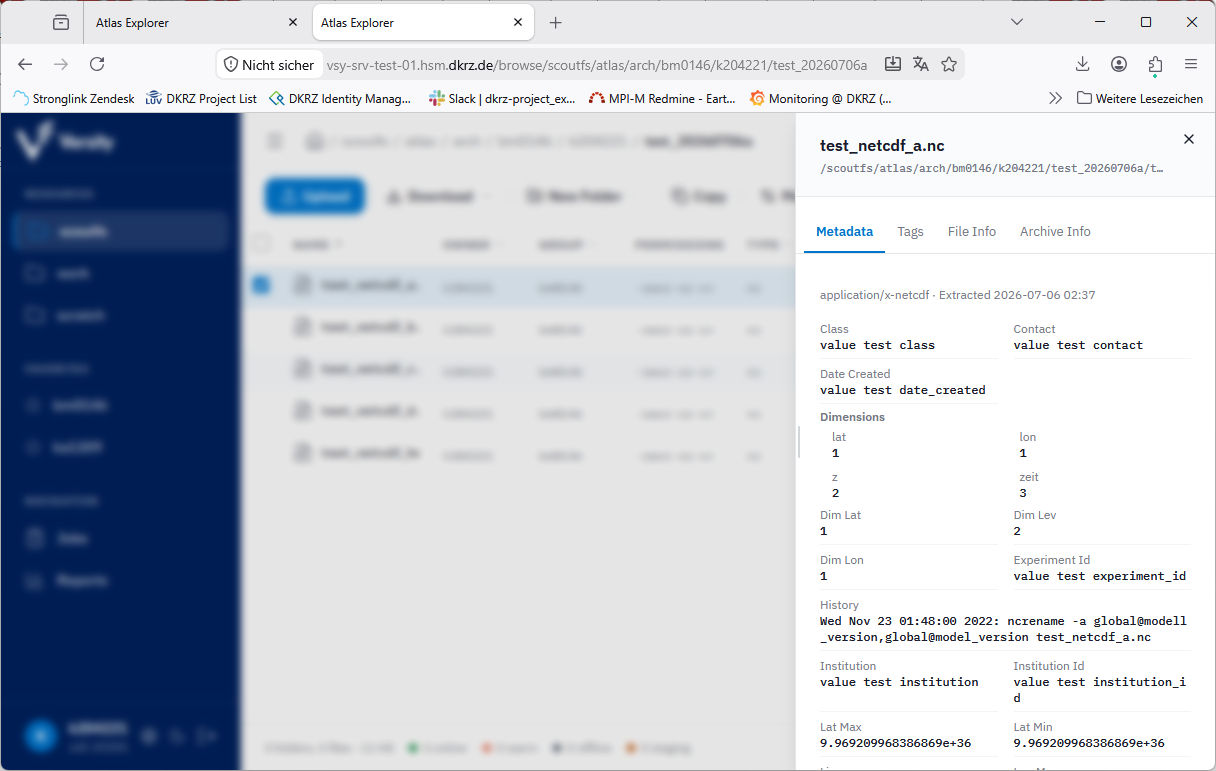
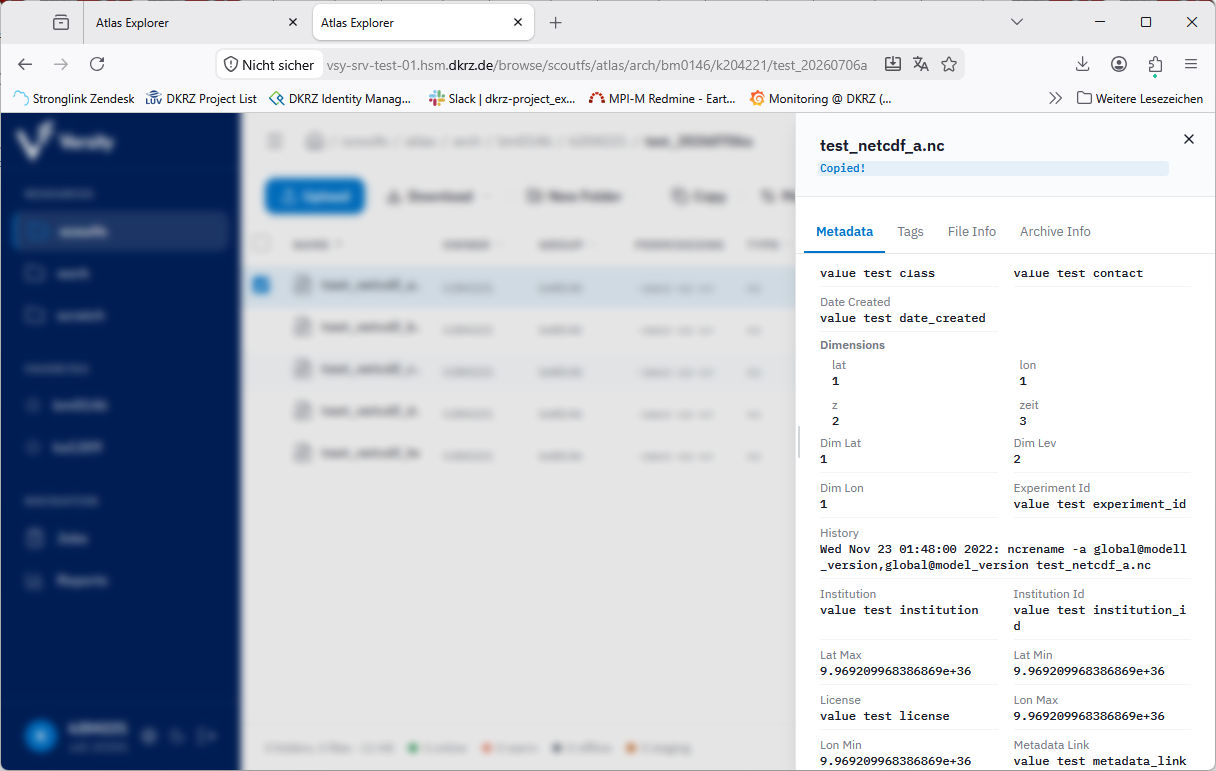
If you click on the file path in the metadata view, it is automatically copied.
ATLAS CLI#
$ atlas metadata /scoutfs/atlas/arch/bm0146/k204221/test_20260706a/test_netcdf_a.nc
Path:  /scoutfs/atlas/arch/bm0146/k204221/test_20260706a/test_netcdf_a.nc

netcdf  (v1, application/x-netcdf, extracted 2026-07-06T00:37:48.541596642Z)
----------------------------------------
  Class          value test class
  Contact        value test contact
  DateCreated    value test date_created
  DimLat         1
  DimLev         2
  DimLon         1
  Dimensions
    lat       1
    lon       1
    z         2
    zeit      3
  ExperimentId   value test experiment_id
  History        Wed Nov 23 01:48:00 2022: ncrename -a global@modell_version,global@model_version test_netcdf_a.nc
  Institution    value test institution
  InstitutionId  value test institution_id
  LatMax         9.969209968386869e+36
  LatMin         9.969209968386869e+36
  License        value test license
  LonMax         9.969209968386869e+36
  LonMin         9.969209968386869e+36
  MetadataLink   value test metadata_link
  MipEra         value test mip_era
  ModelVersion   value test modell_version
  NCO            netCDF Operators version 5.0.6 (Homepage = http://nco.sf.net, Code = http://github.com/nco/nco)
  Originator     value test originator
  Realm          value test realm
  Source         value test source
  Title          value test title
  TrackingId     value test tracking_id
  Type           value test type
  VarLongName    latitude, longitude, mass_concentration_of_nitric_acid_in_air, zeit
  VarName        data_var, lat, lon, z, zeit
  VarStdName     height, latitude, longitude, zeit
  Variables
    data_var  {"dimensions":["zeit","z","lat","lon"],"long_name":"mass_concentration_of_nitric_acid_in_air","missing_value":"-9e+33","type":"float","units":"1"}
    lat       {"dimensions":["lat"],"long_name":"latitude","standard_name":"latitude","type":"float","units":"degree_north"}
    lon       {"dimensions":["lon"],"long_name":"longitude","standard_name":"longitude","type":"float","units":"degree_east"}
    z         {"dimensions":["z"],"standard_name":"height","type":"float","units":"m"}
    zeit      {"axi
Tags#
Tags strings or key-value-pairs which can be manually set and removed by users. This can be done via the WebUI and via the atlas cli. The same tag can be set to multiple files at once.
ATLAS WebUI#
This is how tags can be set:
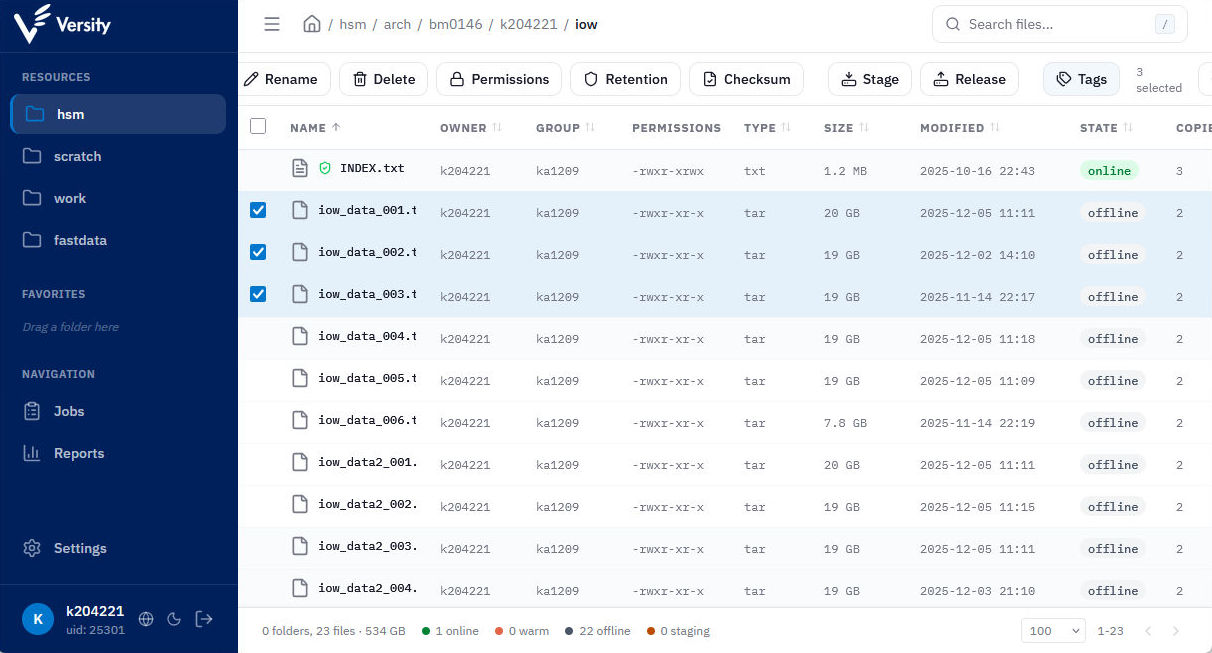
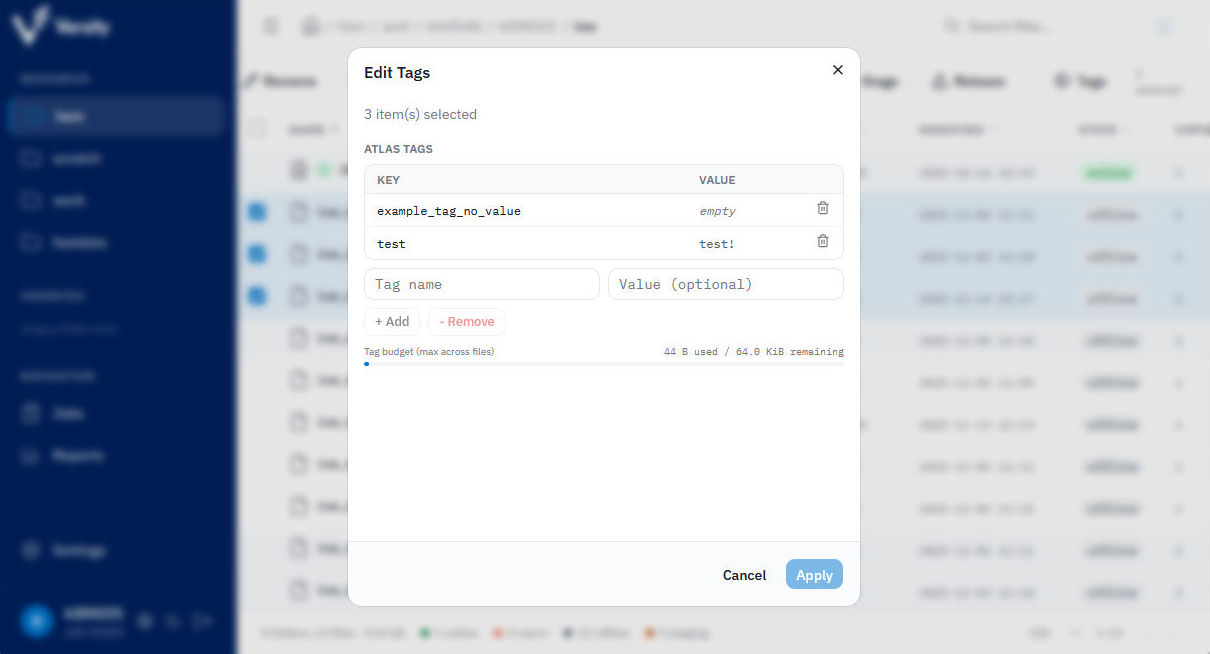
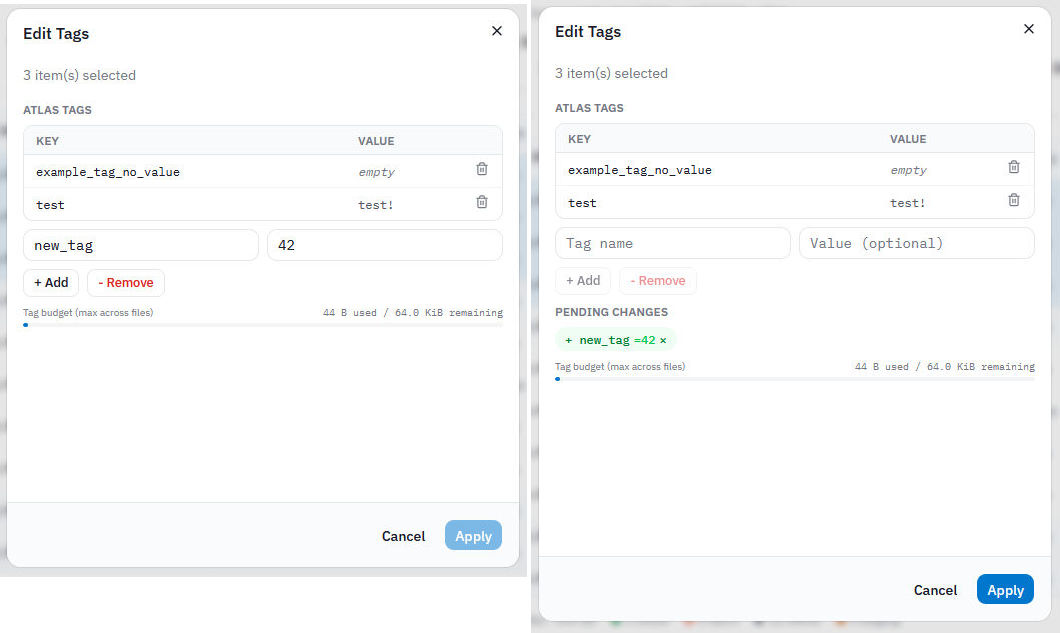
View the tags in the WebUI
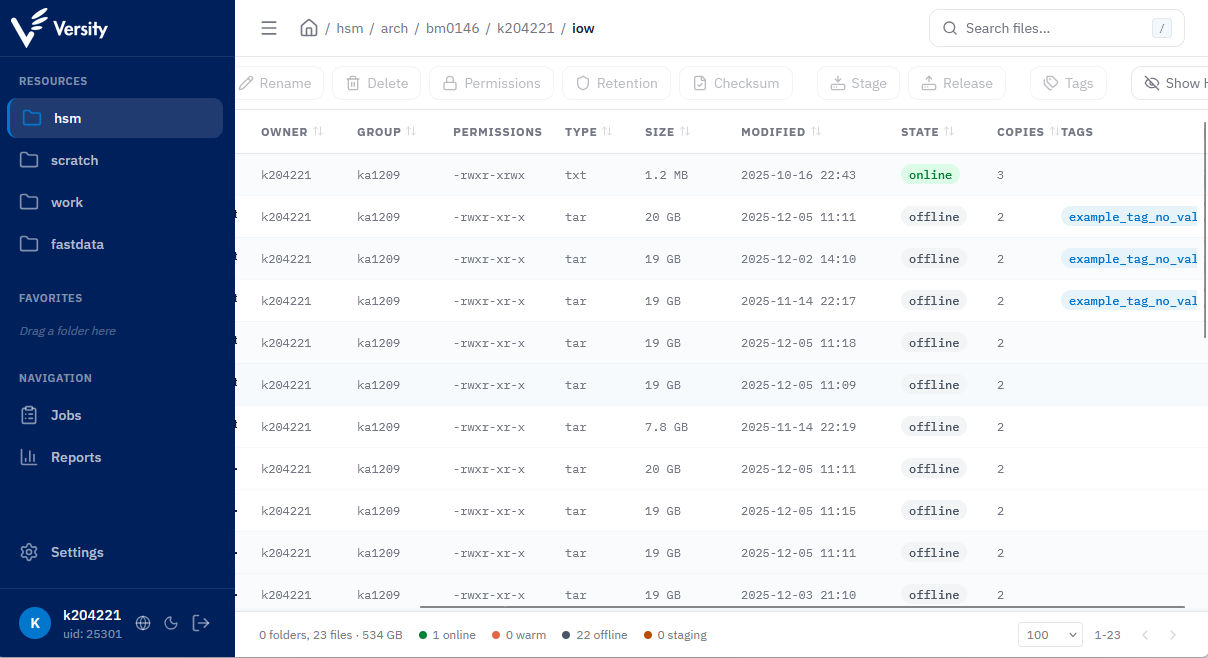
ATLAS CLI#
Get tags of multiple files:
$ atlas tag /hsm/arch/bm0146/k204221/iow/iow_data_00?.tar
Path:  /hsm/arch/bm0146/k204221/iow/iow_data_004.tar

(no tags)
Path:  /hsm/arch/bm0146/k204221/iow/iow_data_006.tar

(no tags)
Path:  /hsm/arch/bm0146/k204221/iow/iow_data_001.tar

Tag                     Value
----------------------------------------
example_tag_no_value
test                    test!

Path:  /hsm/arch/bm0146/k204221/iow/iow_data_005.tar

(no tags)
Path:  /hsm/arch/bm0146/k204221/iow/iow_data_002.tar

Tag                     Value
----------------------------------------
example_tag_no_value
test                    test!

Path:  /hsm/arch/bm0146/k204221/iow/iow_data_003.tar

Tag                     Value
----------------------------------------
example_tag_no_value
test                    test!
Set tags:
$ atlas tag set --name another_tag --value abc /hsm/arch/bm0146/k204221/iow/iow_data_005.tar /hsm/arch/bm0146/k204221/iow/iow_data_004.tar
Set tag another_tag=abc on /hsm/arch/bm0146/k204221/iow/iow_data_005.tar
Set tag another_tag=abc on /hsm/arch/bm0146/k204221/iow/iow_data_004.tar